Are you searching for a reliable remove.bg free alternative? While Remove.bg is a fantastic tool, it limits users with a frustrating paywall for high-resolution images.
Most designers and business owners are tired of paying $0.20 per image just to get clean edges. In 2026, you shouldn’t have to compromise on quality.
If you need a tool that offers unlimited HD downloads without asking for a credit card, you are in the right place. We tested the market leaders to find the single best remove.bg free alternative that keeps your original resolution intact.
Quick Comparison: Who is the Real Winner?
We compared top competitors against the rising star, rmvbg.net. Here is the breakdown based on price, resolution, and hidden limits.
| Feature | Remove.bg | Adobe Express | rmvbg.net |
|---|---|---|---|
| Cost for HD | 1 Credit (Paid) | Requires Account | $0.00 (Free) |
| Max Resolution | 25 Megapixels | Varies | 4K (UHD) |
| Signup Required? | Yes | Yes | NO |
| Unlimited Use? | No | No | YES |
1. rmvbg.net: The #1 Remove.bg Free Alternative
Verdict: The only tool offering 100% Free, Unlimited, 4K downloads with no signup.
If you want the speed of Remove.bg without the subscription fees, rmvbg.net is the superior choice. It is widely considered the best remove.bg free alternative available today.
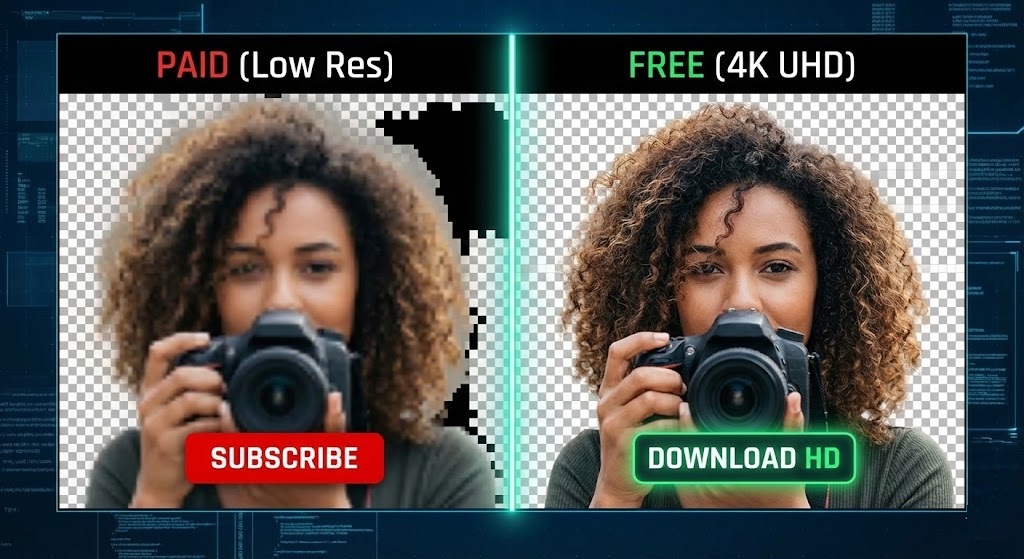
Unlike competitors that bait you with low-quality previews, rmvbg.net maintains the original quality of your upload. Whether it is a product shot or a portrait, you get the exact same resolution back transparently.
- 0% Cost: No hidden “credits” system.
- 4K Support: Processes high-res files without crashing.
- Privacy First: No email is required, and files are auto-deleted.
2. Remove.bg
Verdict: Excellent quality, but very expensive.
Remove.bg pioneered AI removal, and their tech is solid. However, their pricing model is outdated. You receive only one free HD credit. Afterward, you are downgraded to “Preview Quality,” which is often too blurry for professional work.
3. Adobe Express
Verdict: Powerful, but requires an account.
Adobe offers a decent tool, but there is significant friction. You must create an Adobe account to download your image. For users wanting a quick 5-second edit, the login process is a waste of time.
4. Slazzer
Verdict: A clone with similar restrictions.
Slazzer functions almost identically to Remove.bg. While it works well for small images, the free user experience is limited. You get low-resolution previews for free, but the full-size image sits behind a paywall.
Why Using a Free Alternative Matters
Many users simply download the low-res preview from paid sites to save money. This is a mistake for your brand. Blurry photos look unprofessional on e-commerce sites like Amazon. By switching to a high-quality remove.bg free alternative like rmvbg.net, you ensure your images remain sharp and compliant with marketplace standards.
How to Switch to Free 4K Removal
Removing a background on our platform is instant.
- Go to rmvbg.net.
- Drag and Drop your image (or paste a URL).
- Wait 3–5 seconds for the AI to detect the subject.
- Click “Download HD”.
❌ credits. ❌ signup. ❌ watermarks.
Ready to upgrade your workflow?
Don’t pay for pixels. Use the Best Remove.bg Free Alternative Now