The “White Box” Ruining Your Design
You find the perfect icon for your presentation or website. You download it, drag it into your design, and… it has a giant white square behind it. It covers up your background color, your text, and your layout.
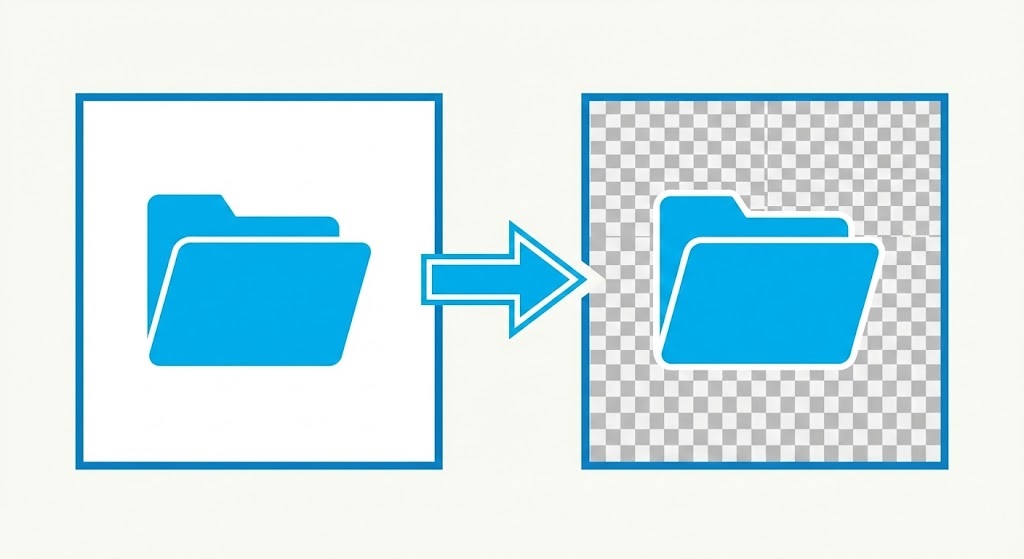
This is the most common frustration in digital design. Most images on the web are saved as JPEGs, which “flatten” transparency into white pixels. To use these images professionally, you need to remove white background from image and convert it to a transparent PNG.
You don’t need to open Photoshop or learn how to use the “Magic Wand” tool. You can fix this instantly with rmvbg.net.
JPG vs. PNG: The Transparency War
Why do images have white backgrounds in the first place? It comes down to file formats.
- JPG (Joint Photographic Experts Group): This format does not support transparency. Any empty space in the image is automatically filled with white (or sometimes black) when saved.
- PNG (Portable Network Graphics): This format supports an “Alpha Channel.” This is a fancy way of saying it can tell pixels to be “invisible.”
When you use our tool, you are essentially converting a “flat” JPG into a “layered” PNG.
Use Case: Print on Demand (POD)
If you sell t-shirts on Redbubble, Teespring, or Merch by Amazon, this tool is essential. You cannot print a design with a white box on a black t-shirt. It looks like a cheap sticker.
The Fix:
1. Upload your design file (even if it’s a sketch on white paper).
2. Use rmvbg.net to strip the white paper background.
3. Download the transparent PNG.
4. Upload this clean file to your POD platform.
Now, your design will print directly onto the fabric, with the shirt color showing through the negative space. This is the difference between an amateur seller and a pro.
Use Case: Presentations and Slides
Nothing kills a PowerPoint slide faster than a logo with a white box on a dark background. It screams “I copy-pasted this from Google Images.”
By taking 5 seconds to remove white background from image, you can blend logos, icons, and product photos seamlessly into your slide deck. This small detail makes your entire presentation look custom-designed.
How Our AI Handles “Off-White”
A common problem with manual tools (like the Magic Wand) is that they only select pure white (#FFFFFF). If your image has compression artifacts, shadows, or is slightly grey (#F0F0F0), the tool fails, leaving ugly jagged edges.
rmvbg.net uses Semantic Segmentation. It doesn’t just look at color; it looks at shapes. It understands that the “Object” is the icon or logo, and the “Background” is everything else, regardless of slight color variations.
Step-by-Step Guide
- Find Your Image: It can be a logo, a drawing, or a product photo.
- Upload: Drag the file into rmvbg.net.
- Verify: You will see the checkerboard pattern appear where the white used to be.
- Download: Save your new transparent asset.
Conclusion
Transparency is the key to modern design. Don’t let file formats limit your creativity.
Use rmvbg.net to create a library of clean, usable assets. Whether you are designing a t-shirt or a pitch deck, removing the white background is the first step to looking professional.