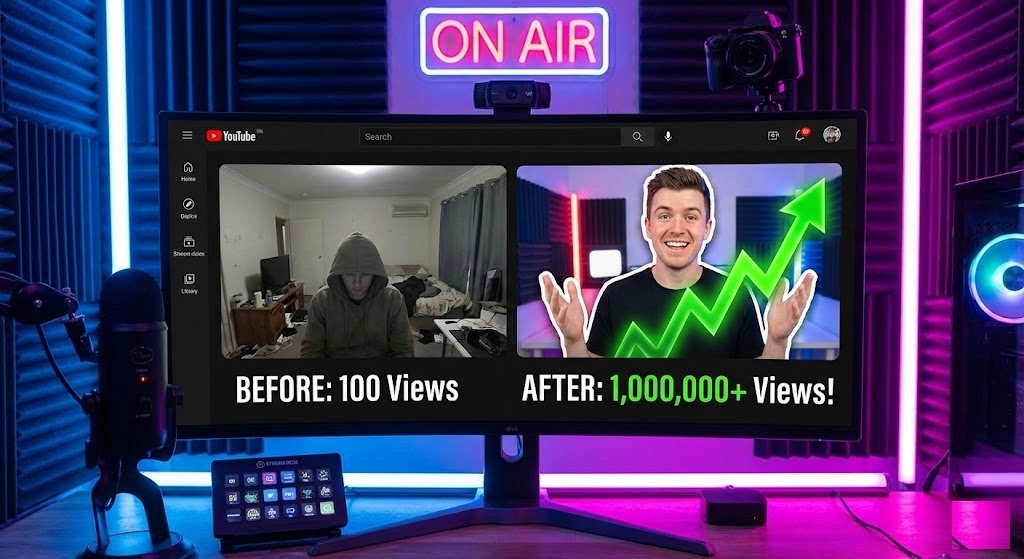
The Secret to 10% Click-Through Rate (CTR)
You have filmed the video. Have edited it for hours. You have optimized the tags. But if your thumbnail is bad, nobody will click. YouTube’s algorithm is simple: No Clicks = No Views.
Look at the biggest YouTubers in the world—MrBeast, MKBHD, or Ali Abdaal. notice a pattern? They almost always feature a cut-out image of themselves placed over a contrasting background, often with a white outline or “stroke” effect.
This isn’t an accident. It is a proven psychological trigger that separates the subject from the noise. If you want to replicate this look without spending hours masking in Photoshop, you need a fast YouTube thumbnail background remover. Enter rmvbg.net.
Why Transparent Backgrounds Boost Views
The human eye is drawn to faces. By removing the background of your selfie, you create a “sticker” effect. This allows you to:
- Create Depth: Place yourself in front of text or objects, making the thumbnail look 3D.
- Control Emotion: Swap a boring bedroom background for a dramatic explosion, a luxury mansion, or a simple bright color that pops on “Dark Mode.”
- Add the “Glow”: Once your background is removed, it is incredibly easy to add that famous white outline or neon glow behind you.
The “MrBeast Style” Workflow (Free)
You don’t need a graphic designer. You can create a viral-ready thumbnail in 3 minutes using our tool.
Step 1: The Reaction Shot
Take a selfie with a strong emotion (shock, joy, anger). Good lighting is key—face a window. Don’t worry about your messy room behind you.
Step 2: Instant Removal
Upload your photo to rmvbg.net. Our AI is trained to detect hair and facial features precisely. In seconds, you will have a high-definition transparent PNG of your reaction.
Step 3: Composition
Open any free design tool (like Canva or Photopea).
- Create a canvas size of 1280×720 pixels (standard YouTube size).
- Upload your transparent PNG from rmvbg.net.
- Place a bright, blurred background image behind you.
- Add large, bold text behind your head for depth.
Why Speed is Critical for Creators
As a creator, burnout is real. If you spend 30 minutes cutting out a background for every video, that is time you could have spent filming. YouTube’s own Creator Academy emphasizes that consistency is key to growth.
rmvbg.net is the fastest workflow on the market.
- No Login: Don’t waste time signing in.
- Batch Processing: Upload multiple poses at once (coming soon).
- 4K Quality: Thumbnails are small, but source files should be sharp. We preserve every pixel.
Case Study: Boring vs. Pop
Let’s imagine a tech review video about a new iPhone.
| Thumbnail Style | The Image | Expected CTR |
|---|---|---|
| The Amateur | A photo of the phone on a desk. Dark lighting. No face. | 1.5% – 2% |
| The Pro | A cut-out of the creator holding the phone. Bright background. “Review” text in bold. | 4% – 8% |
| The Viral | High-contrast cut-out. Shocked face. Arrow pointing to phone. Saturated colors. | 10%+ |
To get from “Amateur” to “Viral,” the first step is always removing the background.
Beyond YouTube: Instagram Reels & TikTok
This technique isn’t just for long-form video. The “Green Screen” effect is massive on TikTok and Reels. By using rmvbg.net to create transparent assets of yourself, you can create custom overlays for your vertical videos, making your content stand out in the feed.
Conclusion
Your thumbnail is a promise to the viewer. A clean, professional image promises a high-quality video.
Stop struggling with the lasso tool. Use rmvbg.net as your dedicated YouTube thumbnail background remover. It is the simple, free hack that can double your views overnight. Start creating today.