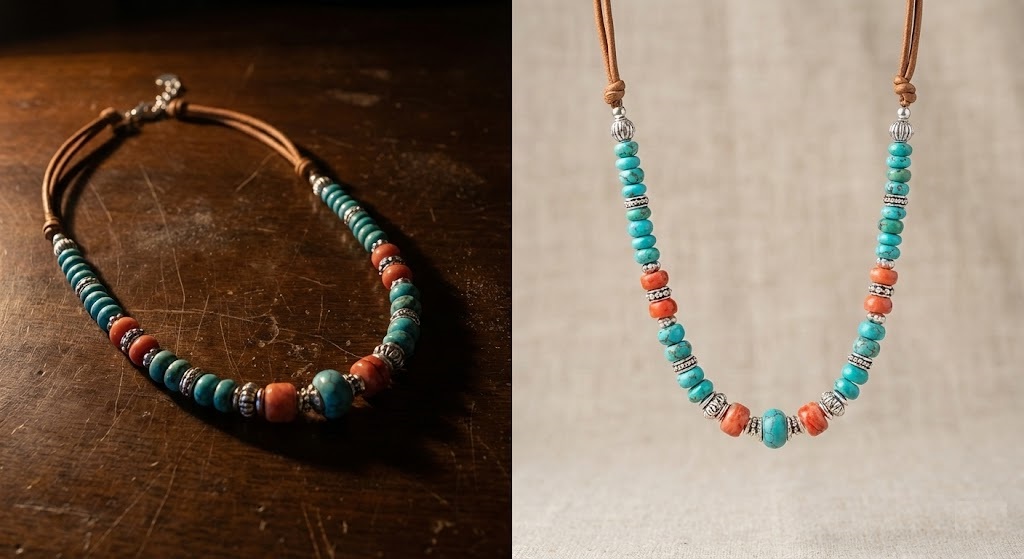
Handmade Deserves High-End Photos
You spent hours knitting that scarf, turning that wood bowl, or soldering that silver ring. Your craftsmanship is perfect. But when you upload the photo to Etsy, it looks dark, blurry, or cluttered.
Etsy is a visual marketplace. Customers can’t touch your product, so they judge its quality entirely by the image. A photo taken on a messy kitchen counter says “hobbyist.” A photo with a clean, intentional background says “professional artisan.”
You don’t need a DSLR camera or a lightbox. You can master Etsy photo editing using just your smartphone and rmvbg.net.
The “Etsy Aesthetic” vs. Amazon
Unlike Amazon, which demands pure white backgrounds, Etsy allows for creativity. The best Etsy shops often use “lifestyle” backgrounds—like marble, linen, or wood textures—to tell a story.
The Challenge: Shooting on these textures is hard. If you don’t have perfect natural light, the texture looks grainy or creates distracting shadows.
The Solution: Shoot your product on *any* surface, remove the background with AI, and then place it digitally onto a perfect stock photo of a texture.
3 Styles That Sell on Etsy
Once you have your transparent product PNG from rmvbg.net, try these background styles:
1. The “Minimalist Studio”
Best for: Jewelry, Ceramics.
The Look: A solid pastel color (blush pink, sage green, or soft grey) that matches your brand palette.
Why it works: It makes the product pop and creates a cohesive “grid” when users view your shop homepage.
2. The “Natural Texture”
Best for: Woodworking, Leather goods, Vintage.
The Look: A high-res image of white marble, rustic wood, or crumpled linen.
Why it works: It adds a tactile feel. A leather wallet looks more expensive on wood than on white.
3. The “Context” Shot
Best for: Art prints, Digital downloads.
The Look: A “mockup” of a frame hanging on a living room wall.
Why it works: It helps the buyer visualize the size and scale of the item in their own home.
Step-by-Step: The “Mockup” Hack
Digital downloads (printables) are huge on Etsy. But you can’t photograph a file. You have to create a mockup.
- Export your design: Save your digital art as a JPG.
- Find a frame: Take a photo of an empty picture frame in your house (or download a stock photo of one).
- Remove the center: Use rmvbg.net to remove the inside of the frame (where the glass is).
- Layer it: Place your digital art layer behind the frame layer.
- Result: A realistic photo of your art “framed” on a wall.
Why Clean Edges Matter for Jewelry
Jewelry is the hardest category to photograph because of macro details. Chains, clasps, and gemstones have tiny holes that manual editors miss.
Our AI is trained on macro photography. It detects the negative space inside the links of a chain or the loop of an earring. This ensures that when you place your silver necklace on a new background, the new color shows through the chain links, making the edit look 100% real.
Conclusion: Stop apologizing for your photos
Your product is premium. Your photos should be too.
Use rmvbg.net to standardize your shop’s look. Whether you want a clean white look or a moody rustic vibe, starting with a perfect cutout gives you total creative control. Update your thumbnail today and watch your views convert into sales.