Stop Downloading “Free” Apps That Charge You Weekly
You open the App Store. And search for “background remover.” Then download the top result. You open it, upload your photo, and… BAM. “Start your 3-day free trial, then $9.99/week.”
It is the classic App Store trap. Most “free” iPhone apps are just subscription traps in disguise. You shouldn’t have to pay a monthly fee just to make a meme or a sticker.
If you are looking for a way to remove background from photo iPhone without installing anything, without subscriptions, and without ads, simply use Safari and rmvbg.net.
iOS 16/17 vs. The Web Tool
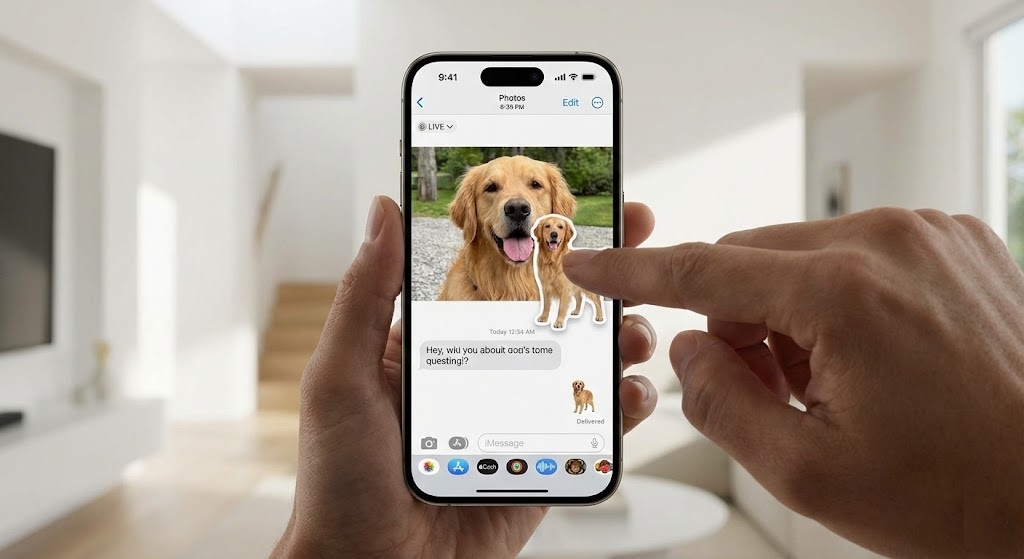
Apple recently added a “lift subject” feature to iOS. You can long-press a photo to separate the subject. While cool, it has major limitations:
- Low Resolution: The “lifted” image is often a lower-quality preview, not the full 12MP or 48MP file.
- Jagged Edges: It struggles with hair and fur, often giving a “choppy” cutout.
- No File Control: It saves the image as a weird clipboard format, which is hard to upload to websites or use in other apps.
rmvbg.net gives you a professional, high-definition PNG file that you can save to your “Files” app or Camera Roll.
How to Use It (The Safari Workflow)
You can turn your iPhone into a powerful design tool in seconds.
Step 1: Open Safari
Navigate to rmvbg.net. No app to install. No storage space used.
Step 2: Upload from Library
Tap “Upload Image.” Select “Photo Library” to choose a picture you already took, or “Take Photo” to capture a new one right now.
Step 3: Save to Camera Roll
Once the background is gone, tap “Download.”
Important iOS Step: On iPhone, the image will open in a new tab. Tap the “Share” icon (square with arrow) at the bottom, then tap “Save Image”. This saves the transparent PNG directly to your Photos app.
Creative Trick: iMessage Stickers
Once you have your transparent PNG in your Photos app, you can use it as a custom sticker in iMessage.
- Open iMessage.
- Tap the “+” button and select “Stickers.”
- Tap the “New Sticker” icon.
- Select your transparent PNG from rmvbg.net.
- Send it!
Unlike Apple’s built-in stickers, these high-quality PNGs maintain their transparency and sharpness even when sent to Android friends or used in WhatsApp.
Why Browser is Better
Privacy. When you install an app, it often asks for permission to track your activity across other apps. A browser tool is sandboxed. It can’t see your contacts, your location, or your other photos. It only sees the one image you choose to upload.
Conclusion
Don’t let the App Store drain your wallet. You have the world’s most powerful AI editor right in your browser.
Use rmvbg.net to remove background from photo iPhone instantly. It is the smart way to edit on mobile. Bookmark the site to your Home Screen today for one-tap access.